
 By Adrian Pascual•Hiring insight•Published
How to Implement a Structured Video Interview Program
A hybrid-first structured video interview program, combining asynchronous pre-screens with selective live follow-ups and role-specific scorecards, is the most defensible and scalable approach for U.S. hiring teams today.
TL;DR: Core components to stand up quickly
- Question bank: Build 5–6 role-specific prompts per role family, prioritizing behavioral and situational formats
- Scoring rubric: Create a 1–5 anchored scorecard with defined evidence for each score level
- Platform selection: Evaluate for structured templates, ATS integration, transcription, accessibility, and anti-cheat capabilities
- Pilot scope: Choose 2–3 high-volume roles; target 20–30 candidates per role for statistically useful signals
- Reviewer cadence: Assign review windows (48–72 hours post-submission) and a calibration session before the pilot launches
Pro Tip: Start by replacing phone screens for 2–3 high-volume roles. Measure your video-to-final-interview conversion rate before scaling. That single metric tells you whether your question set and scoring rubric are doing their job.
Table of Contents
- Which video interview format should you use at each funnel stage?
- How do you implement a structured video interview program step by step?
- What features should you look for in a video interview platform?
- How do you design structured interview questions and build a reliable scoring rubric?
- What does a practical pilot checklist and rollout timeline look like?
- How do you protect candidate experience and stay compliant with U.S. hiring law?
- Which KPIs should you track to measure program success?
- Ready-to-use templates: interview prep checklist and structured formats
- Your 30-day action list to get the program running
- Key Takeaways
- What most teams get wrong when rolling out video interviews
- Evy screens candidates at scale with integrity built in
- Useful sources and further reading
Which video interview format should you use at each funnel stage?
Three formats define the structured video interview space, and choosing the wrong one for a funnel stage costs you either candidate quality or recruiter time.
One-way (asynchronous): The candidate records responses to pre-set questions on their own schedule; reviewers watch later. No scheduling required, and every candidate answers the same prompts under the same conditions.
Live (synchronous): A real-time video call between interviewer and candidate, structured around a fixed question set and scorecard. Scheduling overhead is high, but depth of follow-up is unmatched.
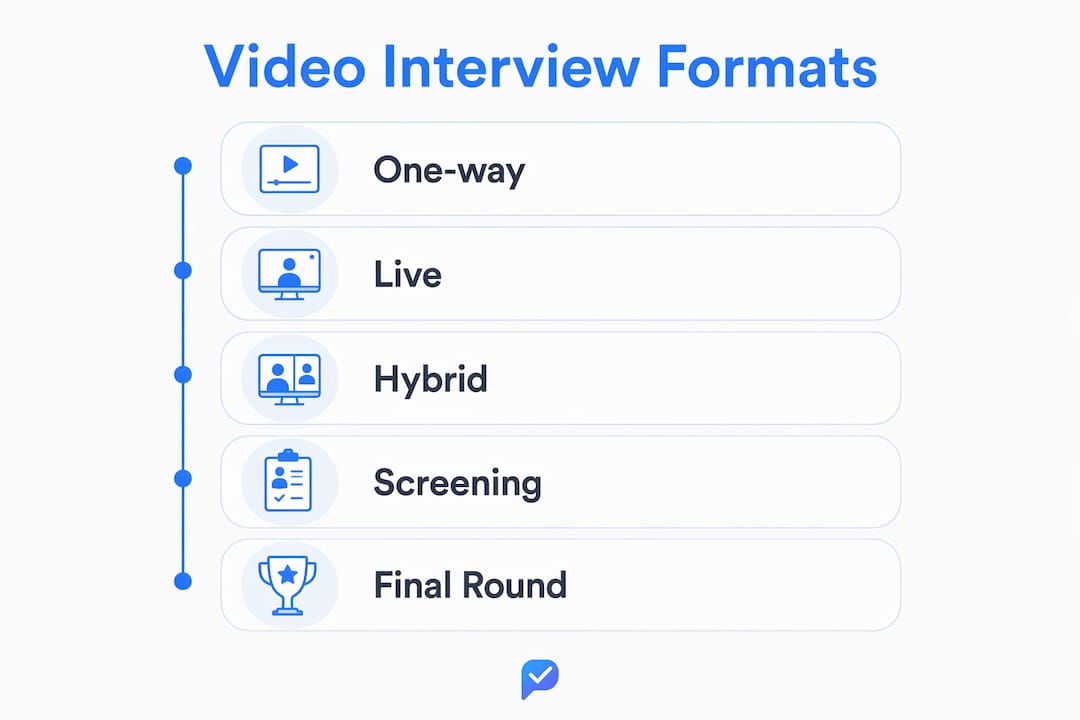
Hybrid: Asynchronous pre-screen filters the pool; live interviews go only to shortlisted candidates. This is the format most U.S. recruiting teams should default to for roles above entry level.
Asynchronous video interviewing works best as a deliberate filtering stage that produces comparable signals across all candidates and reduces scheduling overhead significantly. For initial screens, async surfaces communication quality, motivation, and role-fit signals without requiring a recruiter on the other end. HeyTalent recommends limiting async question sets to 5–6 prompts with enforced time limits to maintain completion rates and answer quality.
| Format | Scheduling overhead | Review speed | Best funnel stage | Ideal role types | Scalability |
|---|---|---|---|---|---|
| One-way (async) | None | Fast (batch review) | Top-of-funnel screen | High-volume, entry-level, customer service | Very high |
| Live (synchronous) | High | Slow (real-time only) | Shortlist and final rounds | Leadership, technical depth, senior IC | Low |
| Hybrid | Low to moderate | Fast screen + deep final | Full funnel | Most professional roles | High |
Practical recommendations by funnel stage:
- Sourcing to shortlist: Use one-way async for all applicants above a resume threshold. Keep it to 5–6 questions with 60–90 second response limits.
- Shortlist to final: Move to live interviews for the top 15–20% of async scorers. Use the same scorecard criteria so scores are comparable.
- Final round: For leadership or highly technical roles, consider a hybrid format: a short async role-simulation prompt followed by a live debrief.
For entry-level roles such as customer service, retail management, and inside sales, asynchronous screening often suffices for the full pre-offer process. Technical roles benefit from a brief async verbal explanation prompt before a live coding or case session. Leadership finalist interviews almost always warrant live format, where follow-up probing and two-way dialogue reveal judgment in ways a recorded prompt cannot.
How do you implement a structured video interview program step by step?
Moving from concept to a repeatable program takes four phases: design, technology selection, pilot, and scale. Each phase has a defined owner and a clear output.
Phase 1: Design
- Define target roles and competencies. List the 2–3 roles for your pilot. For each, identify 3–5 core competencies (e.g., communication, problem-solving, role-specific technical skill). These competencies drive every question you write.
- Write a minimum viable interview script. For each role, draft 5–6 questions that map directly to the competencies. Include one behavioral prompt (STAR-style), one situational prompt, and one role-task simulation prompt.
- Build a scoring rubric. Assign each competency a 1–5 scale with written anchors describing what a 1, 3, and 5 response looks like. Vague rubrics produce inconsistent scores; specific anchors produce defensible ones.
- Set response parameters. For async formats, set time limits per question (60–120 seconds is typical) and decide whether candidates get one attempt or multiple. Fewer attempts produce more authentic responses.
Phase 2: Technology selection
The platform you choose shapes every downstream decision. Map your requirements against these evaluation criteria before issuing an RFP or starting a trial:
| Requirement | Why it matters | Evaluation signal |
|---|---|---|
| Structured templates and scorecards | Ensures every reviewer uses the same criteria | Can you build role-specific templates with locked question sets? |
| ATS integration | Avoids duplicate data entry and keeps candidate records clean | Does it sync with your existing ATS via native connector or API? |
| Transcription and AI scoring | Speeds review and surfaces keyword signals | Is transcription auto-generated? Can scores be audited? |
| Recording storage and retention controls | Required for EEO audit trails and state privacy compliance | Where is data stored? What are the default and configurable retention periods? |
| Accessibility and browser compatibility | Reduces candidate drop-off and supports accommodation requests | Does it run in-browser without a download? Does it support captions? |
| Anti-cheat and integrity features | Protects the validity of your screening data | Does the platform detect off-screen attention, AI-generated responses, or tab switching? |

Video interview platforms built for scale use event-driven, distributed architectures that decouple upload, encoding, AI processing, and scoring into separate pipelines. That architecture matters to you because it determines whether a candidate's submission is processed in seconds or hours, and whether the platform stays stable under high-volume load.
Phase 3: Pilot
- Assemble your pilot stakeholder group. You need a recruiter (owns the process), a hiring manager (validates question quality), an HR operations or legal contact (reviews consent and data handling), and an IT contact (handles SSO, firewall, and integration setup).
- Set success criteria before you launch. Define thresholds for completion rate, review time per candidate, and video-to-final-interview conversion. Without pre-set thresholds, pilot reviews become subjective.
- Run the pilot with enough candidates per role to generate meaningful data. That pool size gives you enough data to spot patterns in scoring variance and completion behavior without committing to a full rollout.
Go/No-Go signals at pilot review:
- A healthy completion rate signals the candidate experience is acceptable
- Reviewer scoring variance below 1.5 points on the same response signals calibration is working
- Hiring manager satisfaction with shortlist quality signals the question set is on-target
Phase 4: Scale
- Formalize governance. Assign one owner for the question bank (typically a senior recruiter or TA manager) who reviews and updates questions quarterly.
- Build a training cadence. New interviewers complete a calibration workshop before their first review cycle. Existing reviewers participate in quarterly blind-score audits.
- Budget for ongoing costs. Usage-based pricing (pay-per-interview) suits variable hiring volume; seat-based plans suit teams with predictable monthly volume. Build both scenarios into your budget model before committing.
What features should you look for in a video interview platform?
The checklist below maps platform features to the buyer needs that matter most to U.S. HR and recruiting teams. Use it as a procurement reference and a conversation guide with vendors.
Structured workflows and scoring
- Role-specific interview templates with locked question sets so every candidate answers the same prompts
- Behaviorally anchored scorecards built into the review interface, not bolted on after the fact
- Reviewer assignment and routing so the right hiring manager sees the right candidate without manual coordination
- Blind scoring mode to reduce anchoring bias when multiple reviewers score the same candidate
Recording, transcription, and AI analysis
- Automatic transcription of all recorded responses, searchable and exportable
- AI-assisted scoring that flags keyword signals and attention patterns, used as an augmentation layer rather than a final decision mechanism. Automated scoring should always be paired with human review windows and clear evidence fields to maintain defensibility.
- Full video and transcript retention with configurable retention periods tied to your data governance policy
ATS integration and reporting
- Native ATS connectors for major platforms (Greenhouse, Lever, Workday, iCIMS, and similar)
- Candidate status sync so interview outcomes flow back to the ATS without manual entry
- Reporting dashboards covering completion rates, review times, conversion rates, and reviewer scoring distribution
Security, compliance, and accessibility
- Data encryption in transit and at rest, with U.S.-based or configurable data residency
- Consent and recording disclosure built into the candidate-facing flow, not left to the recruiter to communicate manually
- EEO audit trail logging who reviewed which candidate, when, and what score they assigned
- WCAG-aligned accessibility including captions, keyboard navigation, and screen-reader compatibility
- In-browser experience requiring no candidate download, which directly affects completion rates. Candidate-centered UX design, including visible recording feedback and explicit "start when ready" controls, can double completion rates versus designs that lack those signals.
For enterprise teams with strict security requirements, verifying that a platform meets your organization's data handling standards is worth a dedicated security review. Resources covering video conferencing security practices provide useful baseline criteria for that evaluation.
How Evy maps to these requirements
Evy addresses the full checklist above with one addition that most platforms do not offer: real-time eye tracking to detect AI-assisted cheating during recorded responses. Where other platforms rely on transcript analysis alone, Evy monitors attention patterns during the interview itself, flagging off-screen gaze and behavioral signals that suggest a candidate is reading from an AI tool. Structured templates, ATS integration, automated transcripts, compliance audit trails, and a browser-native candidate experience are all included in the core platform.
How do you design structured interview questions and build a reliable scoring rubric?
Well-designed questions are the foundation of a structured interview process. A question that does not map to a specific competency produces a response that no rubric can score reliably.
Question design principles
- Evidence-focused prompts: Every question should ask for a specific past behavior or a concrete response to a scenario. "Tell me about a time when…" and "What would you do if…" are the two workhorses of structured interviewing.
- Role-task alignment: Each question should connect to a task the candidate will actually perform. For a customer service role, a question about de-escalating a frustrated caller is directly relevant. A generic "describe your work style" prompt is not.
- Time limits and sequencing: For async formats, limit responses to 60–120 seconds. Sequence questions from warm-up (lower stakes) to core competency probes to a brief closing prompt.
- Question count: Limit async questionnaires to 5–6 questions. More than that and completion rates drop; fewer and you may not surface enough signal to differentiate candidates.
Sample question bank by role family
Behavioral (all roles):
- "Describe a situation where you had to deliver difficult feedback to a colleague. What did you say, and what happened?"
- "Tell me about a time you managed competing priorities under a tight deadline. How did you decide what to do first?"
Competency/situational (customer-facing roles):
- "A customer contacts you upset about a billing error that was not your team's fault. Walk me through how you handle it."
- "You notice a process your team uses is creating errors for customers. What steps do you take?"
Technical explanation (technical roles):
- "Explain a technical concept from your last role to someone with no technical background. Use a specific example." For more role-specific prompts, technical interview question types vary significantly by discipline and seniority level.
Job-simulation (operations/analytical roles):
- "Here is a dataset with three anomalies. In 90 seconds, describe what you notice and what you would investigate first."
Rubric template
Build your rubric around 3–5 competencies per role. For each competency, define what a 1, 3, and 5 response looks like in concrete terms.
| Competency | Score 1 (below standard) | Score 3 (meets standard) | Score 5 (exceeds standard) |
|---|---|---|---|
| Communication clarity | Response is vague, disorganized, or off-topic | Response is clear and addresses the question with a specific example | Response is precise, structured (situation/action/result), and directly relevant |
| Problem-solving | No structured approach; describes outcome without reasoning | Describes a logical process with one or two steps | Articulates a multi-step approach with clear reasoning and outcome evaluation |
| Role-task alignment | Response does not connect to the role's core tasks | Response references relevant tasks but lacks specificity | Response demonstrates direct experience with the role's core tasks and outcomes |
Calibration before launch: Run a blind-scoring exercise with your pilot reviewers before the program goes live. Give each reviewer the same three sample responses and compare scores. A gap of more than 1.5 points on the same response signals that your scoring anchors need more specificity. A short calibration workshop, 60–90 minutes, resolves most of that variance before it affects real candidates.
What does a practical pilot checklist and rollout timeline look like?
A 30-day pilot is enough to generate the operational signals you need to decide whether to scale. The key is running it with enough structure to produce comparable data, not just impressions.
Pilot checklist
- Select 2–3 roles with sufficient volume (at least 20 candidates expected during the pilot window)
- Finalize question sets and scorecards for each role, reviewed and approved by the hiring manager
- Draft candidate invitation messaging that explains the format, time commitment, and recording consent
- Complete a tech test runbook covering platform login, recording test, ATS sync verification, and support escalation path
- Assign reviewers and communicate their 48–72 hour review window
- Run a calibration session with all reviewers before the first candidate submissions arrive
- Set up a pilot tracking sheet logging completion rate, review time, scores, and conversion to next stage
30-day pilot timeline
- Week 1 (setup): Finalize platform configuration, build role templates, complete IT and legal sign-off, send recruiter training materials. Reference onboarding recruiters to video screening for trainer-ready materials and role-specific tips.
- Week 2 (launch): Send candidate invitations, monitor completion rates daily, flag any technical issues to the platform support team within 24 hours
- Week 3 (review): Reviewers complete scoring within their assigned windows; recruiter compiles scores and flags calibration outliers
- Week 4 (evaluate): Hold a 60-minute pilot review meeting with all stakeholders; compare results against pre-set success criteria; make a documented go/no-go decision
Training agenda for interviewers and reviewers
- Scoring practice (30 minutes): Review rubric anchors and score three sample responses independently, then compare and discuss
- Bias awareness (20 minutes): Cover the most common bias risks in video review: affinity bias, halo/horn effects, and appearance-based judgments. The EEOC's guidance on selection procedures is the authoritative reference for structuring this discussion.
- Technical rehearsal (15 minutes): Walk through the reviewer interface, including how to access recordings, enter scores, and flag a candidate for follow-up
- Support channels (5 minutes): Confirm who to contact for platform issues, candidate accommodation requests, and scoring questions
Pilot success metrics and scale-readiness thresholds
- Completion rate: a healthy rate indicating good candidate engagement
- Average review time per candidate: under 20 minutes
- Video-to-final-interview conversion: reasonably close to your current phone-screen conversion rates
- Hiring manager satisfaction with shortlist quality: 4 out of 5 or higher on a post-pilot survey
- Reviewer scoring variance on the same response: 1.5 points or less
How do you protect candidate experience and stay compliant with U.S. hiring law?
Candidate experience and legal compliance are not separate workstreams. A poorly designed candidate flow creates both drop-off and legal exposure.
Candidate-friendly practices
- Clear instructions upfront: Send candidates a one-page guide explaining the format, how long it takes, what equipment they need, and what happens after they submit.
- Test recordings: Allow candidates to record a practice response before the scored questions begin. Breezy HR's operational guidance recommends a warm-up phase at the start of every video interview to reduce candidate anxiety and improve response quality.
- Flexible submission windows: Give candidates at least 48–72 hours to complete an async screen. Tight windows disadvantage candidates with caregiving responsibilities, shift work, or limited device access.
- Accommodations process: Include a clear path for candidates to request accommodations (extended time, alternative submission format) in the invitation email. Document every accommodation request and response.
Accessibility requirements
- Captions and transcripts: Auto-generated captions during playback and downloadable transcripts for all recorded responses
- Low-bandwidth options: The platform should degrade gracefully on slower connections rather than failing entirely
- Browser compatibility: No-download, browser-native experience across Chrome, Firefox, Safari, and Edge
- Alternative submission: For candidates who cannot complete a video format due to a documented disability, have a phone or written alternative ready
Consent and privacy
Every candidate must provide informed consent before recording begins. At minimum, your consent language should cover:
- What is being recorded (video and audio)
- Who will review the recording and for what purpose
- How long the recording will be retained
- The candidate's right to withdraw from the process
State-level privacy laws add complexity here. Illinois' Biometric Information Privacy Act (BIPA) imposes specific requirements on video interview data for candidates in that state. Several other states have enacted or are considering similar legislation. Consult legal counsel for your specific retention policy and any state-specific disclosure requirements.
EEO guardrails
Structured interviews reduce, but do not eliminate, bias risk. MIT research has documented that AI systems can reflect gender and skin-type bias when trained on non-representative data, which is directly relevant to any AI-assisted scoring layer in your platform. Build these guardrails into your program:
- Questions must be job-related and consistent across all candidates for the same role
- Reviewers must score on rubric criteria only, not on appearance, accent, or background
- Retain all scoring records for a minimum of one year post-hire decision to support any EEOC inquiry
- Audit reviewer scores quarterly for demographic patterns that suggest disparate impact
This article provides general information on U.S. hiring practices and is not legal advice. Consult qualified legal counsel for guidance specific to your organization's situation and jurisdiction.
Which KPIs should you track to measure program success?
Tracking the right metrics separates a program that improves over time from one that simply runs. Focus on operational efficiency, quality signals, and reviewer behavior.
Core KPIs
- Invitation completion rate: The percentage of invited candidates who submit a complete response. A low completion rate signals a UX or instructions problem, while a high rate indicates a healthy baseline.
- Review time per candidate: How long a reviewer spends on each submission. Consistently high review times suggest the question set is too long or the scoring interface is inefficient.
- Video-to-final-interview conversion rate: The percentage of async screeners who advance to a live interview. This is your primary quality signal. If it tracks closely to your phone-screen conversion, the program is working.
- Time-to-shortlist: Days from application to shortlist decision. A well-run async program should compress this significantly compared to scheduled phone screens.
- Hiring manager satisfaction score: A simple 1–5 post-shortlist survey asking whether the video screen surfaced candidates who were ready for a live interview.
Reporting cadence
During the pilot, review metrics weekly. Once the program is operational, monthly reviews are sufficient for most teams. Flag any week where completion rate drops more than 10 percentage points for immediate investigation.
Using data to improve the program
- Low completion rate on a specific question: Rewrite the prompt for clarity or reduce the time limit
- High reviewer variance on a specific competency: Sharpen the scoring anchors or run a targeted calibration session
- Low conversion from async to final: Either the question set is not surfacing the right signals, or the rubric thresholds are set too high
- Consistently low scores on one question across all candidates: The question may be poorly calibrated to the candidate pool, not a signal of poor candidates
Monitoring for bias
Wide variance in reviewer scores on the same recorded response is the clearest signal that calibration has drifted. Schedule quarterly blind-score audits where two reviewers independently score the same set of five archived responses. A gap above 1.5 points on any competency triggers a calibration review. Separately, run a demographic analysis of pass rates by gender and race/ethnicity at least twice per year. Research on structured interviewing consistently shows that structured formats reduce, but do not eliminate, subjectivity, making ongoing monitoring a necessary part of any defensible program.

Ready-to-use templates: interview prep checklist and structured formats
The templates below are drawn from Evy's operational guidance and can be adapted for most professional role families. Copy them directly into your pilot documentation.
Interview preparation checklist for hiring managers
Before the pilot launches:
- Confirm role competencies are finalized and mapped to questions
- Review and approve the scoring rubric for your role
- Complete the calibration session with co-reviewers
- Verify ATS integration is active and candidate records are syncing
Before each review cycle:
- Block 48–72 hours in your calendar for candidate review
- Re-read the scoring anchors before your first review session
- Flag any candidate who requires an accommodation to the recruiter immediately
After the review cycle:
- Submit all scores within the assigned window
- Document your reasoning for any borderline scores (3 on any competency)
- Attend the debrief if scoring variance is flagged
For a complete interview preparation checklist covering both hiring managers and candidates, Evy's template covers pre-interview tech checks, materials to share, and timeline expectations in detail.
Eight structured interview formats
Evy's structured interview format library identifies eight formats suited to different funnel stages and role types. Here is how each maps to a practical use case:
| Format | Purpose | Best funnel stage | Sample prompt type |
|---|---|---|---|
| Competency screen | Surface core behavioral signals quickly | Top-of-funnel async | STAR behavioral ("Tell me about a time…") |
| Role simulation | Test task performance directly | Mid-funnel async or live | "Here is a scenario from this role. Walk me through your approach." |
| Culture-fit micro-interview | Assess values alignment in 3–4 questions | Post-shortlist async | "Describe a work environment where you do your best work." |
| Technical explanation | Evaluate communication of complex ideas | Mid-funnel async | "Explain [concept] to a non-technical stakeholder." |
| Case-based interview | Assess analytical reasoning | Live shortlist | Structured case with follow-up probes |
| Panel competency | Multiple reviewers, same scorecard | Final live round | Divided question ownership across panel members |
| Situational judgment | Predict behavior in novel scenarios | Mid-funnel async or live | "What would you do if…" prompts with defined scoring criteria |
| Motivation and fit | Understand career intent and role alignment | Any stage | "Why this role? What are you looking for next?" |
Sample questions with scoring anchors
Question: "Tell me about a time you had to influence a decision without direct authority. What was the situation, and what did you do?"
| Score | Evidence expected |
|---|---|
| 5 | Describes a specific situation, names the stakeholders, explains the influence strategy used, and states the measurable outcome |
| 3 | Describes a relevant situation with a clear action but limited detail on the outcome or the reasoning behind the approach |
| 1 | Response is vague, describes a situation where the candidate had direct authority, or does not connect to the question asked |
Question: "Walk me through how you would prioritize three competing deadlines with equal urgency."
| Score | Evidence expected |
|---|---|
| 5 | Articulates a clear framework (e.g., impact assessment, stakeholder communication, escalation path), applies it to the scenario, and acknowledges trade-offs |
| 3 | Describes a logical sequence of steps but does not address stakeholder communication or trade-offs explicitly |
| 1 | Describes picking one task arbitrarily or waiting for a manager to decide without any independent reasoning |
Your 30-day action list to get the program running
Seven concrete tasks, with owners, that move you from reading to doing.
- Day 1–3: Assign a program owner (HR Operations or TA Manager). This person is accountable for the pilot timeline, stakeholder coordination, and the go/no-go decision at Day 30.
- Day 1–5: Select 2–3 pilot roles (Recruiter + Hiring Manager). Choose roles with enough volume to generate 20–30 candidates during the pilot window. Document the competencies for each role.
- Day 3–7: Choose and configure your platform (HR Operations + IT). Run a trial or demo, complete the security review, and confirm ATS integration. Evy's pay-per-interview pricing model means you can run a scoped pilot without committing to a seat plan.
- Day 5–10: Build question sets and scorecards (Recruiter + Hiring Manager). Draft 5–6 questions per role, map each to a competency, and write scoring anchors for scores 1, 3, and 5.
- Day 7–12: Complete legal and IT sign-off (Legal + IT). Review consent language, confirm data retention settings, and verify that the platform meets your organization's security requirements.
- Day 10–14: Run recruiter and reviewer training (HR Operations). Deliver the calibration session, bias awareness module, and technical rehearsal. Use Evy's recruiter onboarding guide as a starting framework.
- Day 14–28: Launch pilot invitations and run the screen (Recruiter). Monitor completion rates daily. Flag technical issues within 24 hours. Reviewers complete scoring within their assigned windows.
- Day 28–30: Evaluate results and make the go/no-go decision (All stakeholders). Compare completion rate, review time, conversion rate, and hiring manager satisfaction against your pre-set thresholds. Document the decision and the rationale.
Day 30 checkpoint: If two or more of your success metrics fall below threshold, do not scale. Identify the root cause (question clarity, platform UX, reviewer calibration, or candidate instructions) and run a second, adjusted pilot before expanding to additional roles.
Key Takeaways
A hybrid-first structured video interview program, built on role-specific scorecards and a disciplined 30-day pilot, is the fastest path from ad hoc phone screens to a defensible, scalable hiring process.
| Point | Details |
|---|---|
| Start with a hybrid format | Combine async pre-screens with selective live follow-ups to balance scale and depth across the funnel. |
| Limit async question sets | Keep async screens to 5–6 high-signal questions with enforced time limits to protect completion rates. |
| Set success thresholds before launch | Define completion rate, conversion, and reviewer variance targets before the pilot starts, not after. |
| Monitor for bias continuously | Run quarterly blind-score audits and biannual demographic pass-rate analyses to catch drift early. |
| Evy for structured, integrity-first screening | Evy adds real-time eye tracking to detect AI-assisted cheating, alongside structured templates, ATS integration, and compliance audit trails. |
What most teams get wrong when rolling out video interviews
The most common failure mode in a structured video interview rollout is not a technology problem. It is a calibration problem that gets misdiagnosed as a technology problem.
Teams spend weeks evaluating platforms, configuring integrations, and drafting question banks, then launch the pilot with reviewers who have never practiced scoring together. Two weeks in, hiring managers report that the shortlist "doesn't feel right." Scores are inconsistent. Conversion rates are low. The instinct is to blame the platform or the questions. Usually, the real issue is that three reviewers are applying the same rubric in three different ways.
The fix is not complicated, but it requires time that most teams do not budget for: a genuine calibration session before the first candidate submits a response, followed by recurring blind-score audits throughout the program's life. Calibration is ongoing. Initial workshops are necessary, but score drift happens quietly over months as reviewers develop their own interpretations of what a "3" looks like.
There is a second underestimated factor: candidate instructions. Teams that invest in clear, specific candidate-facing guidance—including a practice recording, an explicit time estimate, and a direct contact for technical issues—see meaningfully higher completion rates than teams that send a bare invitation link. The candidate experience is not a nice-to-have layer on top of the program. It is a data quality issue. A candidate who abandons the screen halfway through because they did not understand the format is a false negative in your funnel.
One more thing worth saying plainly: AI-assisted scoring is a useful augmentation, not a replacement for human judgment. The research on AI bias in hiring contexts is real and documented. Use automated signals to surface patterns and flag outliers, but keep a human reviewer in the loop for every hiring decision. That is both the ethically sound approach and the legally defensible one.
Evy screens candidates at scale with integrity built in
Most structured video interview programs solve for efficiency. Evy solves for efficiency and honesty at the same time.
Evy is the only AI interview platform with real-time eye tracking that detects when candidates are reading from an AI tool during a recorded response. That matters because a structured question bank and a clean scorecard are only as good as the responses they evaluate. If candidates are generating answers with AI assistance, your screening data is compromised before a single reviewer opens the platform. Evy's structured templates, automated transcripts, ATS integrations, and compliance audit trails cover everything on the platform checklist above. The eye tracking layer is what makes the screening data worth trusting.
For teams ready to run a scoped pilot, Evy's pay-per-interview pricing means you can test the program on 2–3 roles without a long-term seat commitment. Explore the full Evy features page to see how the platform maps to your checklist, or contact the team to scope a pilot for your highest-volume roles.
Useful sources and further reading
The sources below support the guidance in this article and provide authoritative references for legal, technical, and best-practice questions.
Legal and compliance:
- EEOC Guidance on Employment Selection Procedures: The authoritative reference for structuring bias awareness training and understanding EEO obligations in hiring. Consult this before finalizing your question bank and scoring rubric.
- MIT study on AI bias in automated systems: Documents gender and skin-type bias in AI systems; directly relevant to any AI-assisted scoring layer in your platform.
- For state-specific consent and data retention requirements (including Illinois BIPA and similar statutes), consult qualified legal counsel. No published guide substitutes for advice tailored to your organization's specific situation.
Platform and technical background:
- How to Build a Video Interview Platform Like HireVue: Technical background on event-driven platform architecture, processing pipelines, and AI analysis stages.
- Build AI Interview Assistants with VideoSDK: Developer-level detail on speech-to-text, NLU, and scoring orchestration for AI-driven interview tools.
- Video conferencing security considerations: Baseline security criteria useful for evaluating platform data handling and enterprise compatibility.
Operational best practices:
- Effective Video Interviews: A Recruiter's Guide, HeyTalent: Practical guidance on async vs. synchronous format selection and question set design.
- Video Interview Tips: 7 Steps to Better Virtual Hiring, Breezy HR: Operational advice on tech readiness, interview structure, and candidate experience.
- How we approached video interviews, Workable: Case study on UX improvements and their effect on candidate completion rates.
Evy resources:
- Why Video Interviews Replace Phone Screens in 2026
- Asynchronous Video Interviewing: A 2026 HR Guide
- Structured Interview Formats: 8 Examples for HR Teams
- Why Candidates Cheat Video Interviews: HR Guide
- Interview Preparation Checklist for Hiring Managers
- How to Onboard Recruiters to Video Screening
- The Role of Video in Modern Recruiting in 2026