
 By Adrian Pascual•Hiring insight•Published
How to Onboard Recruiters to Video Screening
Onboarding recruiters to video screening is the process of equipping HR professionals and hiring managers with the skills, workflows, and tools needed to implement asynchronous video interviews confidently and effectively. The efficiency gains are real: async video screening compresses a 30–45 minute phone screen into roughly 2–3 minutes of video review at 1.5x–2x playback speed. That shift changes how recruiters spend their time, how hiring managers evaluate talent, and how candidates experience the process. This guide covers the prerequisites, step-by-step rollout, common obstacles, and training best practices your team needs to make the transition work.
What does it mean to onboard recruiters to video screening?
The recruiter onboarding process for video screening has two distinct layers. The first is technical: getting the right platform in place, connecting it to your applicant tracking system (ATS), and confirming that recruiters can access, review, and share candidate responses without friction. The second is behavioral: shifting how recruiters think about their role. Successful adoption depends on recruiters understanding that their job moves from scheduling calls to evaluating recorded responses with structured criteria.
Both layers require deliberate preparation. Skipping the behavioral layer is the most common reason video screening rollouts stall after the first few weeks.

Technology requirements before you start
Three technology requirements must be in place before training begins.
- ATS integration: The video screening platform must attach responses, transcriptions, and evaluator notes directly to candidate profiles. ATS integration eliminates manual data entry and keeps all candidate data in one place.
- Playback speed controls: Recruiters need the ability to review responses at 1.5x or 2x speed. Without this feature, the time savings disappear.
- Automated candidate reminders: Platforms with built-in automated follow-up via email or SMS reduce recruiter follow-up work and improve candidate completion rates.
Defining the screening workflow before training
Hiring managers and recruiters must agree on the screening workflow before any training session takes place. The most effective screening flows use 3–5 focused questions per role. More than five questions increases candidate drop-off. Fewer than three rarely gives evaluators enough signal. Align on the questions, the scoring rubric, and the answer time limit before the first recruiter logs in.
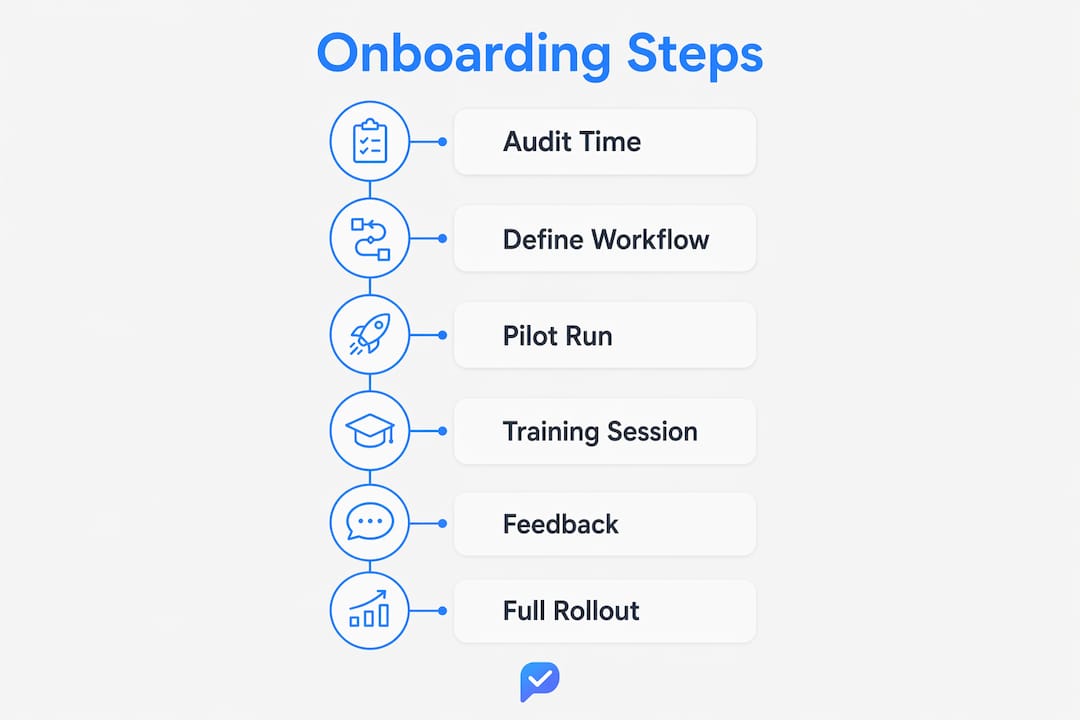
How to onboard recruiters step by step
The most effective method for integrating video screening in hiring is a pilot-then-scale approach. Start with one role, prove the model, then expand. Here is the full sequence:
- Audit current phone screen time. Track how many hours per week your team spends on phone screens for the target role. This baseline number becomes your proof point after the pilot.
- Design async video screening questions. Work with the hiring manager to write 3–5 questions that reflect the actual job requirements. Avoid generic questions. Focus on role-specific scenarios and competencies.
- Deliver recruiter training sessions. Cover three areas: how to send screening invitations, how to review and score responses using a rubric, and how to share shortlisted candidates with hiring managers. Keep sessions under 90 minutes.
- Launch the pilot with real candidates. Run the async screening process for one full hiring cycle. Track time spent on review, hiring manager satisfaction, and candidate completion rates.
- Collect feedback and refine. After the pilot, gather input from recruiters, hiring managers, and candidates where possible. Adjust question design, scoring rubrics, or communication templates before scaling.
- Scale to additional roles. Once the pilot proves time savings and quality improvements, extend the process to other roles using the same structured approach.
Pro Tip: Share the pilot results widely before scaling. Teams that see concrete time savings, such as screening 50 candidates in 2–3 hours instead of 25 hours of calls, adopt the new process with far less resistance.
Common challenges when training recruiters for remote interviews
Recruiter resistance is the most predictable obstacle in any video screening rollout. It rarely comes from a dislike of technology. It comes from uncertainty about whether the process is fair to candidates and whether the quality of evaluation will hold up without a live conversation.
"The shift from phone screen to async video is not a downgrade in human connection. It is a shift in when that connection happens. Recruiters who understand this move from skeptics to advocates quickly."
Address resistance directly in training. Show recruiters that structured question flows produce more consistent shortlists than unstructured phone calls. Structured evaluation workflows, including rubrics and scoring notes, support fair and repeatable decisions in ways that informal phone screens cannot.
Tool friction and how to prevent it
Tool friction is the second major obstacle. When video responses, transcriptions, and evaluator notes live in a separate system from the ATS, recruiters spend time on manual data transfer instead of evaluation. This friction kills adoption faster than any mindset issue. Require ATS integration as a non-negotiable before launch, not an optional add-on.
- Confirm that video responses attach automatically to candidate profiles.
- Verify that transcriptions are searchable within the ATS.
- Test the sharing workflow so hiring managers can view shortlisted responses without needing a separate login.
Supporting recruiters through the learning curve
Leadership visibility matters during the first four to six weeks. Managers who check in regularly, acknowledge the adjustment period, and celebrate early wins build the confidence recruiters need to stick with the new process. Pair newer adopters with a colleague who completed the pilot. Peer coaching reduces the learning curve more effectively than additional training sessions.
Best practices for video screening training and question design
Effective video screening training for recruiters covers three skills: question design, response evaluation, and candidate communication. Each skill requires specific guidance, not just a platform walkthrough.
- Question design. Write questions that are concise, specific, and answerable in 60–120 seconds. Avoid compound questions that ask two things at once. Test each question by answering it yourself before sending it to candidates. A reusable question bank organized by role type saves time and maintains consistency across hiring cycles.
- Response evaluation. Train recruiters to score responses immediately after viewing, not hours later. Use a simple rubric with three to five criteria rated on a 1–3 scale. Attach written notes to each score. This practice produces shortlists that hiring managers trust and reduces back-and-forth on candidate selection.
- Candidate communication. Candidates complete video screens at higher rates when the invitation is clear, the question count is stated upfront, and the answer window is reasonable. Clear candidate communication about the process also improves fairness perception, which matters for employer brand. Review the candidate experience during screening to build communication templates that set the right expectations.
- Batch review habits. Train recruiters to review responses in dedicated blocks rather than one at a time throughout the day. Batching at 1.5x or 2x speed keeps evaluation consistent and prevents fatigue from spreading reviews across too many sessions.
- Scoring calibration sessions. Run a calibration exercise during training where two or three recruiters score the same set of sample responses independently, then compare scores. Calibration surfaces scoring gaps early and builds shared standards before live candidates are involved.
Pro Tip: Build your screening question bank before the first training session. Recruiters who arrive at training with real questions for their roles learn faster and apply the skills immediately.
One additional consideration: as AI use by candidates becomes more common, evaluation integrity matters more than ever. Platforms like Evy add a layer of security through real-time eye tracking, which flags attention patterns that suggest a candidate is reading from an off-screen source. That capability protects the value of every screening decision your team makes.
Key Takeaways
Effective recruiter onboarding to video screening requires a pilot-based approach, ATS integration, structured question design, and targeted training on evaluation and candidate communication before scaling across roles.
| Point | Details |
|---|---|
| Start with a pilot | Run one role through the full async screening cycle before expanding to other positions. |
| Require ATS integration | Video responses and transcriptions must attach automatically to candidate profiles to prevent tool friction. |
| Use 3–5 focused questions | Structured screening flows with a limited question set produce consistent, high-quality shortlists. |
| Train on rubrics and batch review | Recruiters who score with rubrics and review in batches deliver faster, fairer shortlists. |
| Share pilot results widely | Concrete time savings data builds buy-in and reduces resistance before scaling. |
What I've learned from watching video screening rollouts succeed and fail
The rollouts that fail share one pattern: the platform goes live before the workflow is defined. Recruiters log in, see a blank question builder, and default to recreating their old phone screen questions in a new format. The result is a 10-question async screen that takes candidates 25 minutes to complete and recruiters just as long to review. The time savings never materialize, and the team concludes that video screening does not work.
The rollouts that succeed start with the hiring manager conversation, not the platform setup. When a hiring manager can articulate the three things they need to know about a candidate before a first interview, the question design writes itself. That clarity is what makes the screening valuable.
The other thing I have noticed is that recruiters who complete a pilot almost always become advocates. The shift from spending 30 minutes on a phone screen to reviewing a response in 2–3 minutes is visceral. You feel the time return to your day. That experience converts skeptics more reliably than any training slide deck.
My advice: resist the pressure to scale before the pilot is truly complete. One well-run pilot with clean data on time savings, hiring manager satisfaction, and candidate completion rates is worth more than a rushed rollout across 10 roles. Build the foundation carefully, and the scaling takes care of itself.
— Hudson
How Evy fits into your video screening rollout
Evy is built for hiring teams that need to screen at scale without sacrificing evaluation integrity.
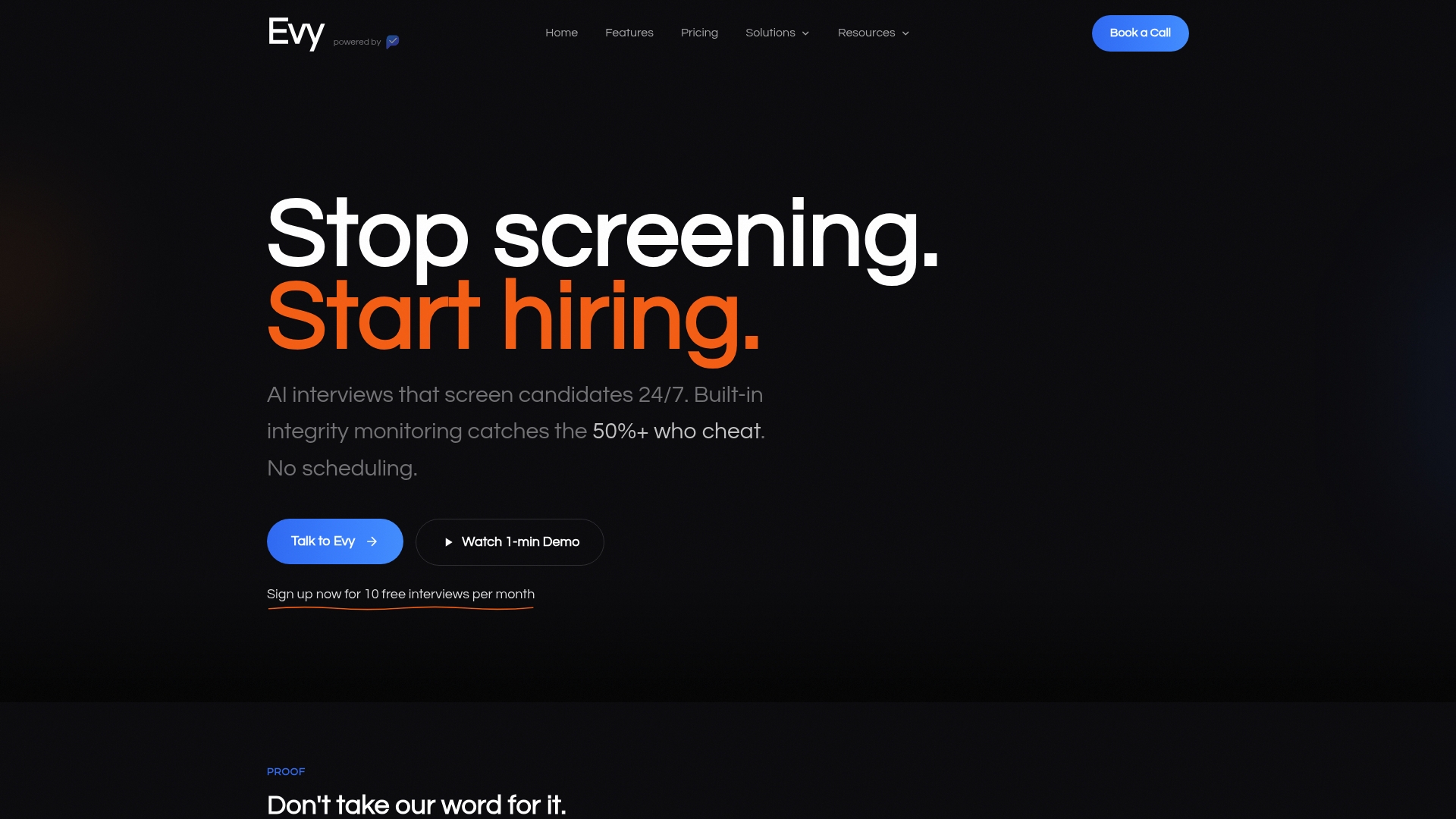
Evy's AI interview platform includes real-time eye tracking to detect when candidates use off-screen AI assistance, automatic transcription, ATS integration, and playback speed controls. Recruiters can review, score, and share candidate responses from a single interface. Hiring managers receive shortlists with video, transcript, and scoring notes attached. The role of video in modern recruiting has shifted toward structured, verifiable screening, and Evy is designed to support that shift from day one of your rollout.
FAQ
What is the first step to onboard recruiters to video screening?
The first step is auditing how much time your team currently spends on phone screens per role. That baseline number gives you a concrete benchmark to measure time savings after your pilot.
How many questions should an async video screen include?
Structured screening flows with 3–5 well-crafted questions produce the most consistent candidate shortlists. More than five questions increases drop-off rates without adding meaningful evaluation signal.
How long does it take to review a video screening response?
Reviewing a video response at 1.5x–2x playback speed takes approximately 2–3 minutes per candidate, compared to 30–45 minutes for a traditional phone screen.
How do you handle recruiter resistance to video screening?
Address resistance by showing recruiters that their role shifts from scheduling calls to evaluating structured responses. Sharing pilot data on time savings and shortlist quality converts most skeptics within the first hiring cycle.
What makes a video screening platform suitable for recruiter onboarding?
The platform must integrate directly with your ATS, support playback speed controls, provide automatic transcription, and include candidate reminder automation. These features eliminate tool friction and keep the workflow manageable from the first day of training.