
 By Adrian Pascual•Hiring insight•Published
Hiring Process Automation Best Practices for 2026
The best hiring process automation programs share six habits: they prioritize high-volume, low-risk tasks first, run a 30-to-90-day pilot on a single role before scaling, keeping humans in the loop for every rejection and final decision, measure a fixed set of KPIs from day one, audit for bias on a set schedule, and train recruiters before switching a workflow live. Skip any one of these, and you get faster hiring with worse outcomes, which is the opposite of the point.
Here's a working checklist you can copy into a project plan today:
- Map the current workflow for one target role, start to finish, before touching any tooling.
- Choose a pilot role with high volume and low political sensitivity.
- Set a 30 to 90 day pilot window with a defined start and stop date.
- Require human review on every rejection and every final hire decision.
- Baseline your current time-to-hire, cost-per-hire, and candidate satisfaction before you automate anything.
- Schedule a bias audit at pilot launch and again at 90 days.
- Train recruiters and hiring managers on override procedures before go-live, not after.
- Document every automation rule so a new team member could explain it in five minutes.
Not everything belongs on the automation table yet. Scheduling, application acknowledgments, and initial resume screening are low-risk, high-impact candidates because they're repetitive and rules-based. Final hiring decisions, offer negotiation, and any judgment call that touches a protected characteristic should stay with a human for now, full stop.
Key Takeaways
Hiring process automation delivers measurable ROI only when high-volume tasks run through orchestrated workflows, humans review every final decision, and bias audits happen on a fixed schedule from the pilot's first day.
| Point | Details |
|---|---|
| Pilot before you scale | Run a 30 to 90 day pilot on one high-volume role before rolling automation to other positions. |
| Calibrate for the first weeks | Have recruiters tag every AI-surfaced candidate accept or reject for two to three weeks to train the model. |
| Keep humans on final calls | Require human review at rejections, final ranking, and offer negotiation without exception. |
| Audit for bias on a schedule | Test screening outcomes across demographic categories at launch, 90 days, and quarterly after. |
| Screen with an auditable, human-checked tool | Evy pairs AI screening with real-time eye tracking, full audit trails, and human override controls to keep pilots defensible at scale. |
Table of Contents
- What Is Hiring Process Automation, and Where Does It Actually Apply?
- What Should a Modern Hiring Automation Stack Include?
- How Do You Implement Hiring Automation Step by Step?
- How Do You Prevent Bias and Stay Compliant?
- What Integration Architecture Actually Holds Up at Scale?
- What Should You Ask Vendors Before Signing?
- Which Metrics Actually Prove Automation Is Working?
- What Automation Workflows Should You Build First?
- What Are the Most Common Automation Pitfalls?
- How Long Does Automation Rollout Take, and What Does It Cost?
- What Does the Evidence Actually Say About Automation Adoption?
- What I've Learned Watching Hiring Automation Pilots Succeed and Fail
- Where Evy Fits Into a Safer Automation Rollout
- What Should You Read Next on Hiring Automation?
- Sources
What Is Hiring Process Automation, and Where Does It Actually Apply?
Hiring process automation covers two distinct things people often lump together: task automation and process orchestration. Task automation handles one job, like sending a calendar invite or firing off a rejection email. Process orchestration connects multiple tasks into a continuous workflow, where a candidate's action in one system triggers a chain of events across several others, with context preserved at every step.
The difference matters more than it sounds. A tool that auto-schedules interviews is useful, but it's still just a task. An orchestration layer that reads a resume, scores it against a job template, schedules an interview if the score clears a threshold, sends a reminder 24 hours out, and logs the interviewer's feedback into a single candidate record is a different animal entirely. Applied AI recruiting platforms increasingly work this way, connecting sourcing, screening, scheduling, and feedback so a candidate doesn't fall into a gap between two disconnected systems.
Here's where orchestration changes outcomes in ways task automation can't:
- A candidate who scores well on an automated screen gets scheduled instantly, without waiting for a recruiter to notice the score and act on it manually.
- Interview feedback from one round automatically informs the questions asked in the next round, instead of living in a separate notes document nobody reopens.
- A rejected candidate's data flows into a talent pool for future roles rather than disappearing into an inbox.
- Onboarding triggers fire the moment an offer is signed, so new hire paperwork isn't a frantic scramble on day one.
The rest of this guide treats five use cases as the backbone of most automation programs: resume screening, interview scheduling, candidate communications, sourcing, and interview summarization with onboarding handoff. Each has a different risk profile, and understanding that distinction is the first real decision point for any TA leader building a rollout plan.
What Should a Modern Hiring Automation Stack Include?
A functional automation stack has eight recognizable components, and most vendor platforms, whether it's iCIMS, Greenhouse, Workday, Lever, or BambooHR, build around some combination of them. What varies is depth: how far each system pushes past simple task automation into genuine process orchestration, and how transparent it is about the AI decisions it makes along the way.
- ATS/CRM integration: the applicant tracking system needs to talk to your candidate relationship management tool without manual data re-entry.
- Scheduling: calendar sync across recruiters, hiring managers, and candidates, with time zone handling built in.
- Communication automation: templated but personalized emails and texts triggered by candidate stage changes.
- AI screening and resume parsing: structured extraction of skills, experience, and role fit from unstructured resumes.
- Assessments: skills tests, work samples, or structured interviews integrated directly into the candidate flow.
- Interview recording and summarization: transcripts and AI-generated summaries that reduce recruiter note-taking time.
- Onboarding triggers: offer acceptance automatically kicking off HRIS record creation and Day 1 logistics.
- Reporting and analytics: dashboards that track the KPIs covered later in this guide.
Some of these components need to talk to systems outside the ATS entirely. Calendar integration matters because a scheduling tool that can't see real-time availability creates double-bookings. ATS integration matters because screening results that live in a silo never reach the recruiter who needs them. HRIS connectivity matters because an offer accepted in the ATS should trigger onboarding in the HRIS without someone retyping the same fields twice. Background check API connections matter because delays here are one of the most common bottlenecks in time-to-hire.
When you evaluate AI features specifically, ask about explainability (can the vendor show why a candidate scored the way they did?), bias tooling (is there a built-in audit mechanism?), and retraining hooks (can you feed recruiter overrides back into the model?). A vendor that can't answer these clearly is asking you to trust a black box with hiring decisions, which is exactly the scenario governance experts warn against.
None of this works without clean data underneath it. Structured job templates, canonical field names, and consistent data entry across every open role are the unglamorous prerequisites that determine whether automation succeeds or quietly fails. Teams that skip this step usually find out the hard way, six weeks into a pilot, when the system is confidently making decisions off garbage inputs.
How Do You Implement Hiring Automation Step by Step?
The safest rollout sequence has eight stages, and skipping any of them is how pilots turn into cautionary tales. Move through them in order:
- Map the current workflow for your target role, documenting every handoff, delay, and decision point exactly as it happens today, not as it should happen.
- Baseline your metrics before changing anything: current time-to-hire, cost-per-hire, offer acceptance rate, and candidate satisfaction scores.
- Choose a pilot role using clear criteria (covered below).
- Design automation rules for the specific tasks you're automating, with explicit thresholds (a score of 70 or above triggers scheduling, for example).
- Set human-in-the-loop checkpoints at every point where a candidate could be rejected or where judgment matters more than pattern matching.
- Test the workflow internally with fake or historical candidate data before it touches a real applicant.
- Run the pilot for 30 to 90 days, collecting both quantitative metrics and qualitative recruiter feedback.
- Iterate, then scale to additional roles only after the pilot data supports it.
Your pilot role selection matters more than any other decision in this list. Look for a role with high application volume (so you get statistically meaningful data fast), clear and largely non-negotiable entry criteria (so screening logic is straightforward to define), a hiring manager who's actually enthusiastic about testing something new, and clean historical data already sitting in your ATS. A role with vague, shifting requirements or a skeptical hiring manager will sink even well-built automation.
An impact-effort matrix helps you sequence what comes after the first pilot:
- Quick wins (low effort, high impact): application acknowledgment emails, interview reminder automation, basic resume keyword screening.
- Strategic bets (high effort, high impact): end-to-end orchestration connecting screening through onboarding, AI-assisted interview scoring with human calibration.
- Low-value or avoid: automating highly personalized outreach to passive candidates, or automating any step involving offer negotiation.
Documentation and training aren't optional add-ons here; they're what determines whether your pilot data means anything. If recruiters don't understand why the system flagged a candidate, they'll either rubber-stamp every recommendation or ignore the tool entirely, and either failure mode corrupts your results. Practitioners who pilot automation on one to three roles and spend the first two to three weeks actively calibrating see meaningfully better long-term results than teams that flip a switch and walk away.
How Do You Prevent Bias and Stay Compliant?
Human-in-the-loop isn't a nice-to-have; it's the operating principle that separates defensible automation from a lawsuit waiting to happen. Talent-acquisition experts are consistent on this point: automation should triage and assist, never make the final call. Enforce human review specifically at three points: rejections, final ranking or shortlisting, and any negotiation involving compensation or start date.
That principle matters more than it might seem, because the assumption that a human reviewer automatically catches an algorithm's mistakes doesn't hold up. A 2025 University of Washington analysis found that human evaluators tend to replicate the same biases present in the AI systems they're reviewing, rather than correcting for them. A human sitting between the algorithm and the decision doesn't guarantee a fair outcome. It just moves the point where bias could enter.
Build a bias-audit routine with real teeth:
- Test screening outcomes across demographic categories at pilot launch, at 90 days, and quarterly after that.
- Compare pass-through rates by role, not just in aggregate, since aggregate numbers can hide role-specific problems.
- Document every audit's methodology and results, even when the results look fine, so you have a record if a decision is ever challenged.
- Bring in a second reviewer, ideally outside the immediate hiring team, to sanity-check audit findings.
Your compliance checklist should cover candidate disclosure (tell candidates specifically where AI is used, what data it evaluates, and how they can request a human review, since boilerplate notices don't satisfy this requirement), consent documentation, data minimization (collect only what the role actually requires), and audit trails that log every automated decision and every human override.
Pro Tip: Keep a holdback set of five to ten candidates per pilot role that the AI never screens automatically. Have a recruiter evaluate them manually and compare results against what the algorithm would have decided. This gives you a live calibration check without waiting for a formal audit cycle.
Pro Tip: Require a documented reason any time a human overrides an AI recommendation. Not for punishment, but because a pattern of overrides is often the earliest warning sign that your scoring model has drifted from what your hiring managers actually want.
Read more on structured, anti-bias interview design in Evy's guide to reducing interview bias, and on practical workflow fixes for fairness concerns in this breakdown of screening risks.
What Integration Architecture Actually Holds Up at Scale?
Most automation failures aren't algorithm failures. They're architecture failures, where a brittle point-to-point integration breaks the moment one vendor updates their API. Two architectural patterns dominate: event-driven orchestration, where a change in one system (a candidate accepts an offer) fires an event that other systems subscribe to and react to independently, and middleware or workflow-engine patterns, where a central hub manages the logic connecting your tools. Both beat a tangle of direct, point-to-point connections between every system pair, which becomes unmanageable past a handful of integrations.
A centralized data model, where candidate information lives in one canonical record that every connected system reads from and writes to, solves a problem that point-to-point integration can't: data drift. When your ATS, your assessment vendor, and your calendar tool each keep their own copy of a candidate's status, those copies inevitably disagree. Orchestration platforms built around applied AI tend to reduce this manual handoff problem, but only when the underlying data feeding them is unified and clean to begin with.
Practical integration points to plan for:
- API-first ATS connections that let screening, scheduling, and communication tools read and write candidate status in real time.
- Calendar and email sync across every party in an interview loop, with time zone conversion handled automatically rather than manually.
- HRIS connectivity so an accepted offer triggers employee record creation without a second manual entry.
- Assessment vendor connectors that push scores directly into the candidate record instead of a separate portal recruiters have to check.
Watch for three recurring risks: data duplication (the same candidate exists as two records because a name was entered slightly differently), stale fields (a status updates in one system but not another), and calendar conflicts across time zones for distributed hiring teams. The fix for most of these is boring but effective: a single canonical data record, idempotent triggers that don't fire twice for the same event, and logging that captures every automated action with a timestamp. Treat audit trails and monitoring as core infrastructure, not an afterthought you bolt on if a compliance question ever comes up.
What Should You Ask Vendors Before Signing?
Vendor evaluation goes wrong most often because teams ask about features and skip the harder questions about accountability. Before signing anything, get clear answers on security certifications (SOC 2 and ISO 27001 are the baseline expectations for any platform handling candidate data), explainability (can the vendor show, in plain language, why a specific candidate scored the way they did?), and bias mitigation (what audits does the vendor run on their own model, and how often?).
Push further on integration patterns (API-first or batch exports only?), service-level agreements for uptime and support response, data deletion policies once a candidate withdraws or a role closes, pilot contract terms, and pricing transparency (usage-based, seat-based, or a blend?).
Separate must-haves from nice-to-haves before you start demos, or you'll end up impressed by a feature you'll never actually use:
| Feature Category | Must-Have Standard | Nice-to-Have Extra |
|---|---|---|
| Integrations | Native ATS and calendar sync | HRIS and background check connectors |
| Orchestration depth | Multi-step workflow triggers | Cross-role talent pooling |
| AI explainability | Score breakdown per candidate | Natural-language rationale generation |
| Security/compliance | SOC 2 Type II certification | ISO 27001 certification |
| Pricing model | Transparent per-unit or seat cost | Volume discount tiers |
On pilot contracts specifically: negotiate a defined proof-of-concept scope with a hard start and end date, limit the vendor's access to only the data fields the pilot actually needs, and build in a clause letting you walk away without penalty if the pilot metrics don't hold up. Use the pilot itself to stress-test vendor claims. If a vendor says their screening tool has low false-positive rates, verify it against your own holdback set rather than taking the marketing copy at face value.
For engineering-specific hiring, this technical hiring workflow guide offers useful structure for evaluating role-specific screening criteria during vendor pilots.
Which Metrics Actually Prove Automation Is Working?
Five metrics matter more than the rest: time-to-hire, time-to-shortlist, cost-per-hire, quality-of-hire proxies, and candidate experience scores. Track automation accuracy separately, measured as precision and recall on your screening tool's shortlist decisions against what a human recruiter would have chosen.
Time-to-hire measures the full cycle from job posting to accepted offer. Time-to-shortlist isolates just the screening stage, which is usually the first place automation shows measurable gains. Cost-per-hire needs a baseline, and SHRM's benchmarking data puts the average cost-per-hire at roughly $4,100, a useful reference point when building your own ROI case. Quality-of-hire is harder to measure directly, so most teams use proxies: retention at one, three, and six months, plus hiring manager satisfaction scores collected through a short survey after each hire.
Candidate experience, tracked through a Net Promoter Score style survey sent after the interview process concludes, tells you whether speed is coming at the cost of candidate goodwill. A faster process that leaves candidates feeling processed rather than considered is not the win it looks like on a dashboard.
Measurement discipline matters as much as the metrics themselves. Establish a baseline period of at least one full hiring cycle before automating anything, run your pilot against a comparable control group where possible (a similar role hired the traditional way during the same window), and check results at a fixed cadence, weekly during the pilot and monthly once you scale.
A sample ROI calculation: if a recruiter spends 10 hours per hire on scheduling and initial screening, and automation cuts that to 3 hours, that's 7 hours saved per hire. At even a conservative internal cost estimate, multiplied across 50 hires a quarter, the recruiter-hours saved alone often justify a mid-tier automation tool's cost, before you even account for the revenue impact of filling roles faster.
Time-to-hire reductions compound further. Every week you shave off the hiring cycle reduces the risk of losing a strong candidate to a competing offer, a risk that is nearly impossible to quantify precisely but shows up reliably in candidate drop-off data once you start tracking it. For a deeper look at how screening quality connects to these downstream retention numbers, see Evy's analysis of AI screening and hire quality.
What Automation Workflows Should You Build First?
Six templates cover most of what a TA team needs to get started, and each one has clear trigger points and human checkpoints built in:
- Screening and scheduling: application received → auto-acknowledgment sent → pre-screen questionnaire triggered → AI shortlisting against role criteria → human recruiter review of shortlist → interview scheduling sent to candidates who clear review.
- Interview orchestration: interview confirmed → automated reminder 24 hours out → interview conducted → transcript and summary generated → summary routed to hiring manager → feedback logged in candidate record.
- Offer trigger: hiring manager selects final candidate → offer letter auto-generated from template → human review and approval before sending → offer sent → acceptance triggers onboarding workflow.
- Onboarding handoff: offer accepted → HRIS record created automatically → IT and facilities notified → Day 1 schedule generated → welcome communication sent.
- Rejection and talent pooling: candidate not selected → personalized rejection sent → candidate data tagged and added to talent pool for future matching roles.
- Re-engagement: a previously rejected but qualified candidate matches a new opening → automated alert to recruiter → optional outreach triggered pending recruiter approval.
Each template needs explicit acceptance rules or it becomes a black box fast. Define what a passing score threshold actually means in practical terms (a 70 doesn't guarantee an interview if the role requires a specific certification the resume doesn't show). Specify which fields must be populated before a candidate can move to the next stage. Decide exactly who gets notified at each handoff, since silent failures usually happen at a notification gap nobody noticed during design.
Recruiter feedback is what closes the loop and keeps a screening model accurate over time. During calibration, every AI-surfaced candidate should get an explicit accept or reject tag from a human recruiter, not just a pass-through. That feedback becomes the training signal that keeps your filters aligned with what your organization actually wants, rather than what the model assumed on day one. Evy's AI interviewer guide walks through how to structure this calibration feedback loop in more operational detail.
What Are the Most Common Automation Pitfalls?
The single most common failure is automating a process that was already broken. If your screening criteria were vague before automation, a faster vague process is still a vague process. Legal risk assessments of AI-driven hiring point to this as a root cause: define clear, non-negotiable role requirements before you let a system act on them.
Other recurring mistakes:
- Over-automating candidate communication, sending generic, clearly templated messages at every stage, which candidates notice and resent.
- Skipping user training, which leaves recruiters either blindly trusting or completely distrusting the system, both bad outcomes.
- Skipping baseline metrics, which means you'll never actually know if the automation improved anything.
- Ignoring data hygiene, feeding a screening tool inconsistent job templates and expecting consistent output anyway.
Red flags to watch for once a pilot is live: a sudden drop in candidate diversity metrics should trigger an immediate bias audit, not a wait-and-see approach. An unexpected spike in false positives (candidates who score well but clearly don't meet basic requirements) means your scoring model needs recalibration before it processes another batch. A jump in candidate complaints about the process should prompt a direct review of your communication automation templates.
Know when to roll back. If a bias audit turns up a real disparity you can't explain or fix quickly, pause the automated component and revert to manual review while you investigate. Run a short post-mortem after any rollback: what triggered the issue, what data would have caught it earlier, and what changes before you try again.
How Long Does Automation Rollout Take, and What Does It Cost?
Timelines scale with organizational size and ambition, and rushing past the pilot stage is the most common way teams end up back at square one.
| Program Scale | Typical Timeline | Primary Focus |
|---|---|---|
| Small team pilot | 30 to 90 days | Single role, core screening and scheduling automation |
| Mid-market rollout | 3 to 6 months | Multiple roles, added orchestration across screening and interviews |
| Enterprise program | 6 months | Full workflow orchestration, multi-region compliance, deep HRIS integration |
Cost drivers cluster around a few predictable areas: integration complexity (the more legacy systems you connect, the higher the implementation cost), volume-based pricing (most vendors price per interview or per hire, so cost scales directly with hiring volume), vendor implementation fees for initial setup and configuration, internal change management time (the hours your own team spends on training and documentation, which is real cost even without an invoice attached), and data cleanup (fixing years of inconsistent job templates and candidate records before automation can trust the data).
A few practical levers reduce cost without cutting corners: start with a single-role pilot instead of a multi-role rollout, since a narrower scope means less integration work and a faster time to signal. Limit the pilot's access to live candidate data where a sandboxed or historical dataset would answer the same question. Reuse workflow templates across roles rather than custom-building logic for every position. Negotiate pilot terms specifically, since most vendors will offer reduced or waived fees for a defined, time-boxed proof of concept, precisely because they want the case study.
For a look at how a growing organization managed the operational side of this kind of rollout, see this case study on streamlining HR operations at a growing tech company.
What Does the Evidence Actually Say About Automation Adoption?
Adoption is no longer a niche behavior. SHRM's 2025 talent trends research found that 51% of organizations now use AI somewhere in their recruiting workflow.
That distribution tells you something practitioners already suspect: most organizations are still in task-automation territory, not process orchestration. The gap between where adoption sits today and where the real ROI lives, in connected, end-to-end workflows, is exactly the opportunity a well-run pilot is designed to close.
Practitioner consensus across the sources reviewed for this guide lands on three consistent points. Human-in-the-loop isn't optional; it's the design principle that keeps automation legally and ethically defensible. Calibration in the first two to three weeks of any pilot determines whether the system actually learns your organization's hiring bar or just repeats its initial assumptions. And governance works best when it's treated as a design partner from the start, not a compliance review bolted on after the workflow is already built.
Practitioner reporting on recruitment automation rollouts backs this up directly: teams see real efficiency gains from automating scheduling, screening, and communication, but those gains only persist when governance, data hygiene, and user training are treated as part of the rollout, not an afterthought.
One practical recommendation follows directly from all of this: use the first two to three weeks of any pilot as a dedicated calibration window. Have recruiters review and explicitly tag every AI-surfaced candidate, accept or reject, rather than letting the system run unsupervised from day one. That short window of intensive oversight is often what separates a pilot that scales cleanly from one that quietly drifts off course.
What I've Learned Watching Hiring Automation Pilots Succeed and Fail
The gap between what automation promises in a vendor deck and what it delivers in week one of a real pilot is almost always the same gap: data quality. Teams walk in expecting the AI to be the hard part. It rarely is. The hard part is that nobody cleaned up the job templates, half the historical candidate records have inconsistent field names, and the screening tool is making confident decisions off a mess nobody noticed because a human used to quietly compensate for it.
Here's what surprises most TA leaders the first time through a pilot: the recruiters who resist the tool hardest in week one are usually the ones who end up trusting it most by week six, but only if you built a real calibration loop instead of just flipping it on. The recruiters who accept everything without question in week one are the ones you should worry about, because they're not actually checking the work, they're just relieved to have fewer tasks.
The conventional wisdom says automation's biggest risk is bias in the algorithm. That's real, and worth guarding against seriously. But the more common failure mode is quieter: automation that works exactly as designed, on a process that was never well defined to begin with. A screening tool doesn't fix vague job requirements. It just enforces vague requirements faster and at scale, which is a worse outcome than a slow, vague process, because now you're rejecting good candidates efficiently instead of slowly.
If there's one lesson worth committing to before you touch a pilot, it's this: treat the first two to three weeks as calibration, not launch. Every candidate the system surfaces gets a human tag, accept or reject, with a reason. That data is what teaches the system your actual hiring bar, not the generic one it shipped with. Skip that step, and you'll spend months later trying to figure out why the tool's recommendations never quite match what your hiring managers actually want.
Where Evy Fits Into a Safer Automation Rollout
Everything in this guide points toward the same operating model: automate the repetitive, high-volume steps, keep humans reviewing the decisions that matter, and build in bias auditing from the start rather than retrofitting it after a problem surfaces. Evy is built around exactly that model for the interview stage specifically, where the stakes of getting it wrong are highest.
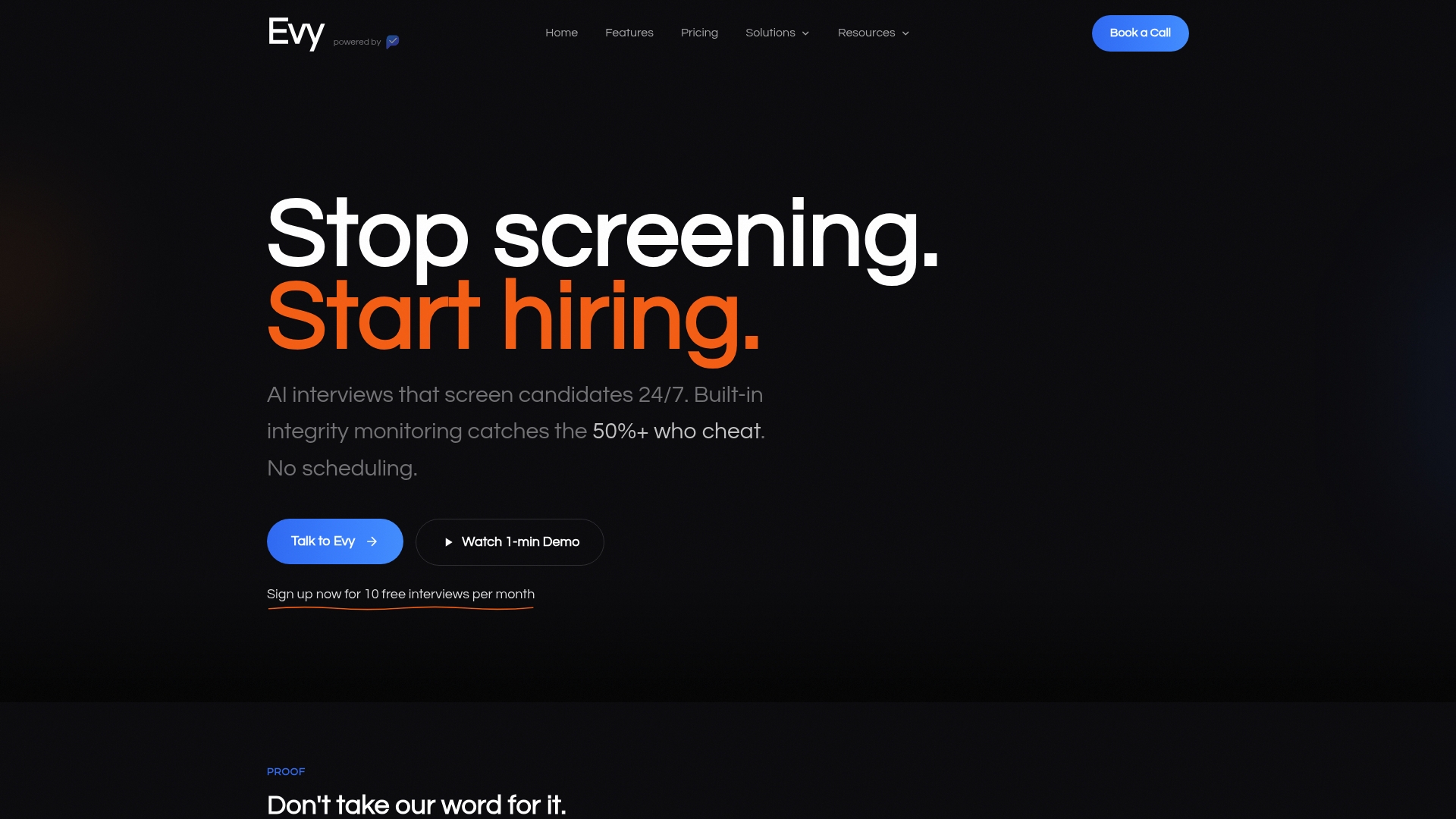
Evy screens candidates at scale, 24/7, using adaptive conversational interviews scored against structured, anti-bias criteria, with real-time eye tracking that flags AI-assisted or human-assisted cheating during the interview itself, something most screening tools have no way to catch. Every interview generates a full video and transcript record, giving your team the audit trail and explainability that vendor evaluations in this guide call for, plus dashboards to track the accuracy and consistency metrics your pilot needs to prove ROI. Human-in-the-loop review tools let recruiters override any score with a documented reason, and ATS integration keeps candidate data flowing into your existing workflow instead of sitting in a separate portal.
If you're planning a 30 to 90 day pilot on a high-volume role, start by requesting a demo of Evy's interview platform to see how the scoring, calibration, and audit features fit into the rollout plan you just built.
What Should You Read Next on Hiring Automation?
A few resources are worth bookmarking before you build your pilot plan:
- SHRM's 2025 talent trends report breaks down exactly where organizations are using AI in recruiting today, useful for benchmarking your own adoption plans against the market.
- The Brookings Institution's analysis of AI and hiring autonomy makes the strongest case for why human-in-the-loop controls aren't optional.
- Centric Consulting's breakdown of algorithmic bias risk is a clear primer on building explainability into vendor selection from day one.
- University of Washington's research on human evaluators mirroring AI bias is essential reading before you assume a human reviewer automatically catches algorithmic mistakes.
- Evy's guide to AI candidate screening walks through the mechanics of how screening tools actually parse and score candidates, useful groundwork before evaluating vendors.
- Evy's guide on how hiring managers review AI recommendations offers practical detail on structuring the override process this guide recommends.
Sources
- AI's threat to individual autonomy in hiring decisions
- Study: people mirror AI systems' hiring biases